I have an issue with a newly built system and would be happy to get some pointers on how to diagnose it.
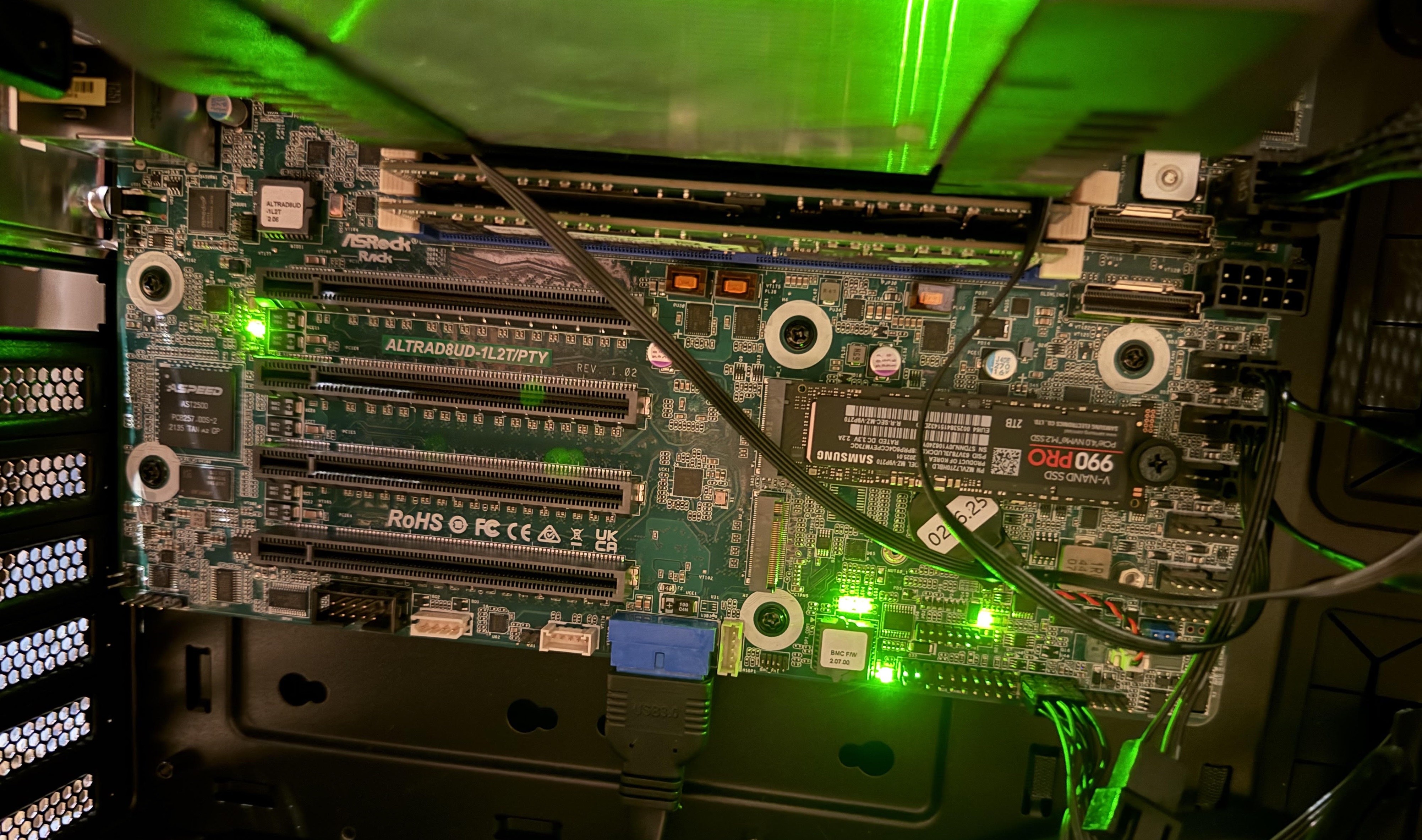
So I tried to build my first Ampere-based system, but cannot boot it (yet): After pressing the power button and waiting for some minutes the LED situation looks like in the image below. Everything looks “green”, but no VGA output. Additionally, I tried connecting a network cable to the Mgmt port, but didn’t notice a new device on the network - I’m likely doing it wrong though.
The LED6/LED5/LED4/LED3 combination above the BMC shows ON-OFF-ON-OFF, which according to the ALTRAD8UD-1L2T manual page 16 means “Initialize SMPro/PMPro”, but it doesn’t seem to move forward from that state.
Does somebody have an idea what the issue could be or at least how to diagnose it?
I forgot to mention that I’m using a directly connected older screen that supports VGA (and hopefully still works )
My RAM is indeed not on the supported list, since the RAM on that list was quite hard to acquire. (I’m using second-hand RAM that is on the Ampere Altra AVL list as a compromise ). I’ve read that other RAM might work as well.
My question is: does the type of RAM matter for VGA output of any kind? (I’ve now tried one stick and no sticks - same result)
My question is: does the type of RAM matter for VGA output of any kind? (I’ve now tried one stick and no sticks - same result)
They are different problems
In your case (black screen, no BMC access), I think you will need to access to the serial port on the mainboard to see debug logs. Do at your own risk.
So I’ve connected a RS232 header and a cable to a different computer. Do you know by chance what the default Baud settings are for these debug logs? (I didn’t find a hint in the manual)
No I don’t see any serial output and I don’t think serial output is even enabled by default. (Which of course is a problem since I don’t have VGA output and so I don’t think I can change any settings like remote, serial access etc, right?)
So my question is: do you remember if you had VGA output when your RAM did not work? I even removed all my memory sticks, still no output. I assume the BMC does not really require RAM from the system (instead I assume it has its own dedicated RAM)?
Did you managed to figure out your issue? I have a similar situation, where the BMC heartbeat is solid and all 4 diagnostic LEDs are solid as well. According to google’s AI I need to fix/reprogram my BMC. But the images on the Asrock’s web site for the BMC aren’t not in a .rom file format.


 )
) ). I’ve read that other RAM might work as well.
